
Keyboard Matrix
This section covers the physical matrix configuration in your keyboard.toml file.
Matrix Configuration
The [matrix] section defines your keyboard's physical key matrix wiring. This tells RMK which GPIO pins connect to your key switches.
Skip [matrix] section for split keyboards. Use the [split.central/peripheral.matrix] section to define matrix configuration for split central and peripherals.
Understanding Key Matrix
A keyboard matrix uses diodes to enable multiple key detection. Here's how it works:
By default, RMK assumes that your pins are col2row, meaning that the output pins (anodes) represent the columns and the input pins (cathodes) represent the rows. If your schematic shows the opposite, you need to change the configuration to row2col
Standard Matrix Configuration
For keyboards using a traditional diode matrix:
Finding GPIO Pin Names
GPIO pin names vary by microcontroller. Here are the correct formats for each supported chip series:
Examples by Chip Series:
- STM32:
PA0,PB1,PC2, etc. - nRF52:
P0_00,P0_01,P1_15, etc. - RP2040/RP2350:
PIN_0,PIN_1,PIN_28, etc. - ESP32:
GPIO0,GPIO1,GPIO21, etc.
Finding Pin Names:
- Visit Embassy docs
- Navigate to your specific chip (e.g.,
embassy-stm32/stm32h750xb) - Check the peripherals module for valid GPIO pin names:
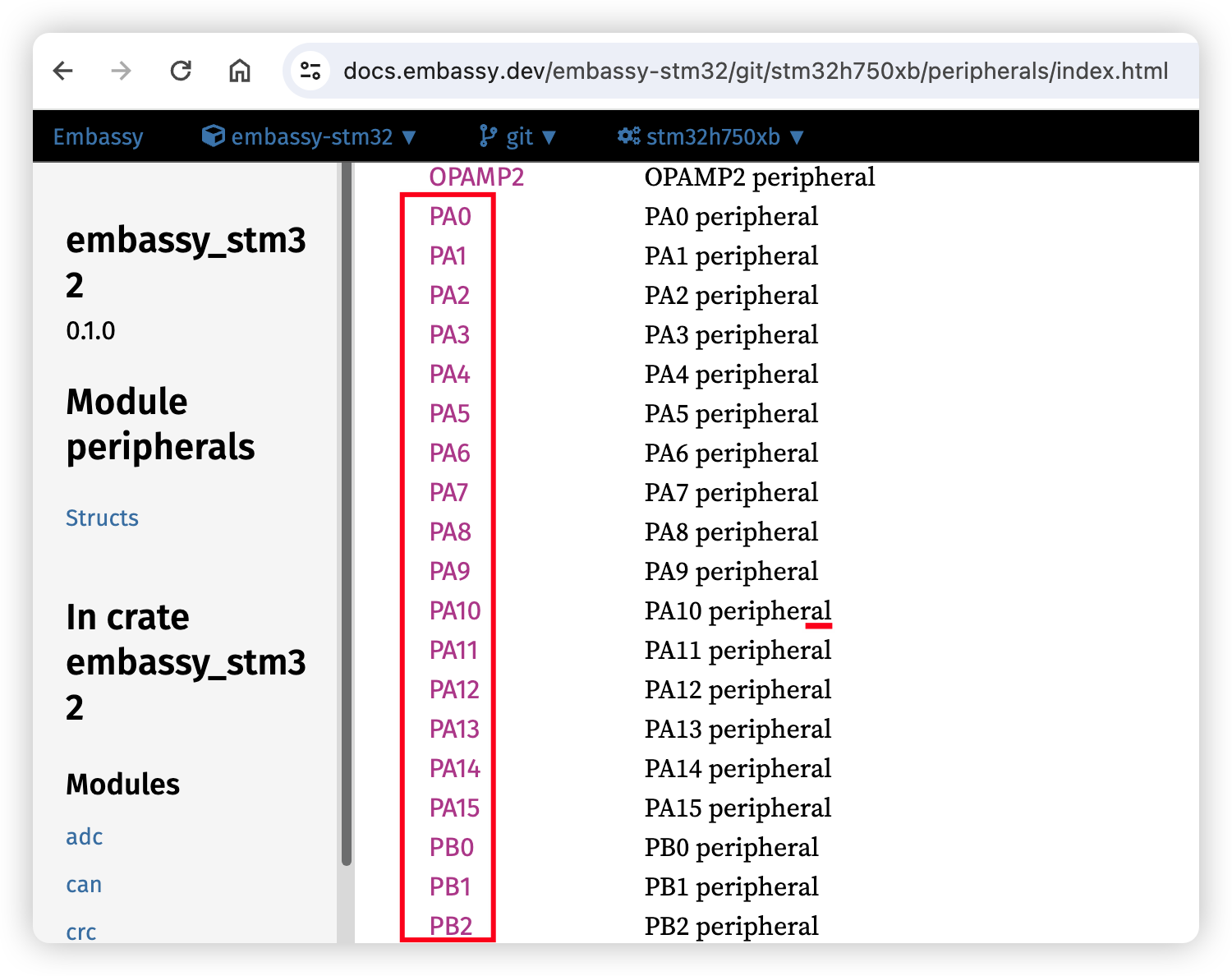
Matrix Type Configuration
RMK supports two matrix types:
Direct Pin Configuration
For keyboards where each switch connects directly to a GPIO pin (no matrix):
Direct Pin Behavior:
true(default): The pin is pulled high by default, pressing a key pulls it to lowfalse: The pin is pulled low by default, pressing a key pulls it to high- Use
"_"or"trns"for unused positions in the matrix
Bootmagic - Bootloader Recovery via a Held Key
Bootmagic lets you drop into the chip's USB bootloader (e.g. BOOTSEL mode on RP2040) by holding a designated key while the firmware boots. This is useful if the physical BOOTSEL/RESET button can't be reached without disassembling the keyboard. For a unibody keyboard:
For direct-pin matrices, the same syntax works; the configured cell must point to a real pin (not "_"/"trns"). RMK will refuse to compile if you reference a placeholder cell.
For a split keyboard, configure each half independently:
Note the sides are commonly mirrored, so this configuration might refer to the outermost column for each side.
::: warning
Do not unplug or reseat a TRRS connector joining halves of a split keyboard. This is tempting when flashing the peripheral side, but TRRS connectors short adjacent ring contacts as the plug slides in or out, which on a split keyboard typically means momentarily shorting VCC to GND (or to a data line) across the connector. That can permanently damage the MCU on either half.
A safe procedure to flash the peripheral side:
- Remove USB connector between central side and host.
- Attach USB connector between peripheral side and host, while holding the peripheral side's bootmagic key.
- Flash.
- Remove USB connector between peripheral side and host.
- Restore USB connector between central side and host. :::
Bootmagic Behavior:
- The scan runs once at boot, before the keyboard task or USB enumeration, and adds ~50µs to boot time when configured
- Jumping to the bootloader needs the matching
rmkCargo feature:rp2040for the RP2040 BOOTSEL bootloader,adafruit_blfor the Adafruit nRF52 bootloader, orzsa_voyager_blfor the ZSA Voyager bootloader. Without one of them, the held key only reboots the keyboard
If bootmagic is omitted, no scan is performed and there is zero runtime overhead.
Debouncer
RMK has two debouncer modes, "default" and "fast":
- The default mode uses a counter-based algorithm that registers a key only after its counter exceeds a certain threshold.
- The fast mode, on the other hand, reacts instantly to a key press and then waits briefly before accepting the next input.
If no debouncer is set, the matrix will default to default mode.
Host Unlock Keys - [host] Section
unlock_keys sets the physical key combination used to unlock protected host operations. When the host_lock Cargo feature is enabled alongside Vial, Vial uses it for secured configurator features such as matrix testing. Rynk uses it as a physical-presence challenge for locked operations such as bootloader entry, storage reset, matrix-state reads, and optional configuration writes. For Rynk, leave it unset only if those locked operations should stay inaccessible or you intentionally enable insecure = true during development.
::: tip
- The unlock keys use the physical matrix position (row, column), not the keycode
- Choose keys that are easy to press simultaneously but not commonly pressed together accidentally
- See Vial Support for Vial setup and Host Configuration for the full
[host]options :::
Troubleshooting
Common Issues
Wrong GPIO Pin Names:
- Check embassy documentation for your specific chip
- Ensure pin names match exactly (case-sensitive)
- Verify pins support GPIO functionality
- Use correct format:
P0_00(nRF52),PIN_0(RP2040),PA0(STM32),GPIO0(ESP32) - For nRF52, some pins are behind a feature gate, for example
P0_09/P0_10are used as NFC pins by default. To use it as a normal pin in matrix, you should enable corresponding features(for example, nfc-pins-as-gpio) forembassy-nrfdependency.
Matrix Not Working:
- Verify diode direction in your schematic
- Check if you need
row2col = true, add it to your matrix section if you need
Direct Pins Not Working:
- Verify
matrix_type = "direct_pin"is set - Check
direct_pin_low_activesetting matches your hardware - Ensure unused positions use
"_"or"trns"